Playground
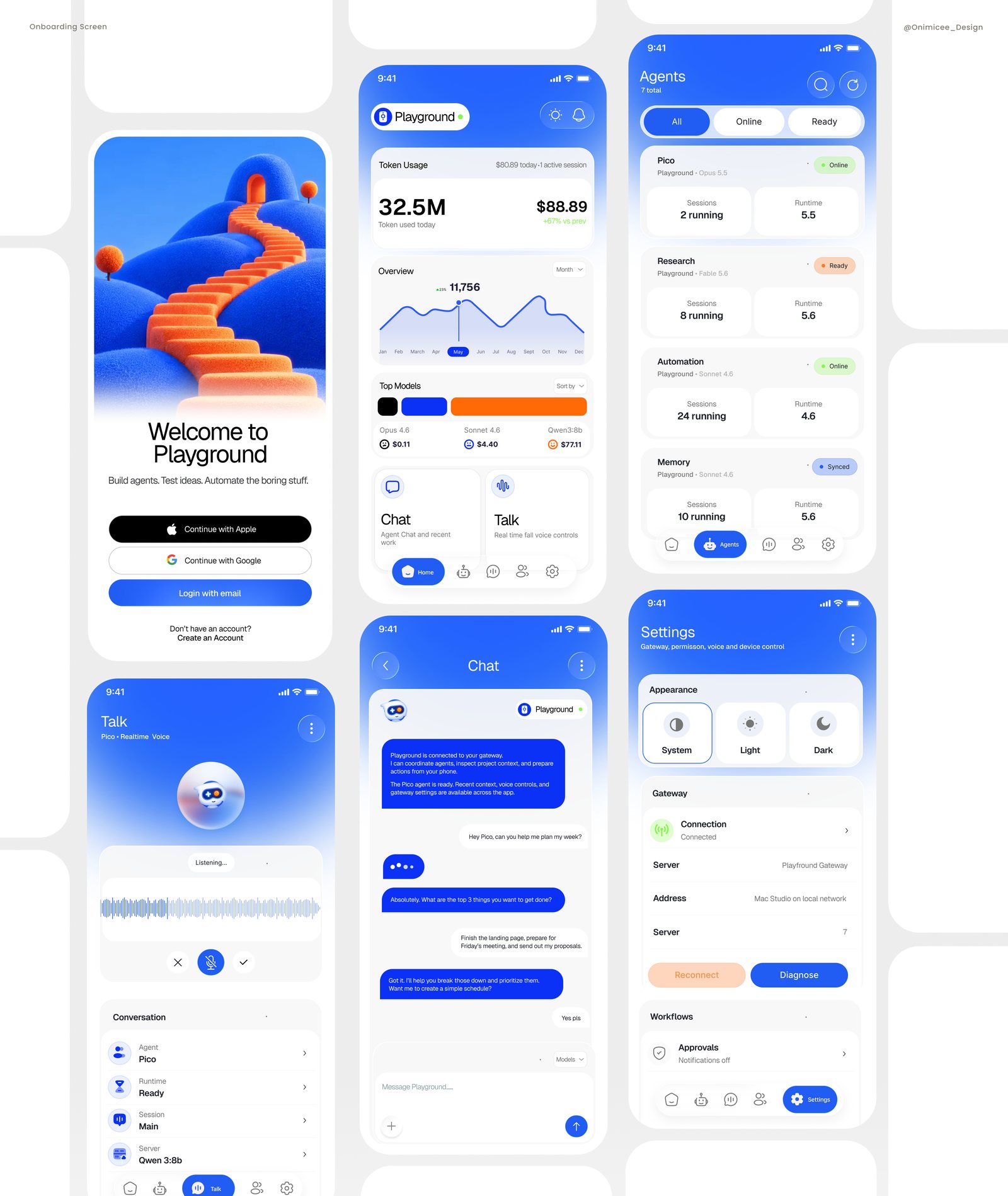
A mobile workspace for AI agents. Create agents tailored to your workflow, connect the tools you already use, and turn repetitive tasks into automated workflows, then check on them, chat with them or talk to them from anywhere.
- Role
- Product Designer
- Platform
- iOS app
- Focus
- AI agents, Automation
- Timeline
- 2 months
The challenge
AI agents can take real work off a team’s plate, but setting them up usually means terminals, config files and a desk. Once they’re running, it’s hard to tell what they’re doing, which model they use, or what they cost.
Playground puts agents in your pocket: easy to start, easy to keep an eye on and easy to talk to, without hiding the controls power users need.
Design goals
Approachable from the first tap
Friendly visuals and plain language make agents feel like teammates, not infrastructure.
Everything observable
Usage, cost, status and runtime are always one glance away, so nothing runs in the dark.
Type or talk
Chat and real-time voice are both first-class ways to work with any agent.
Key screens
A friendly front door
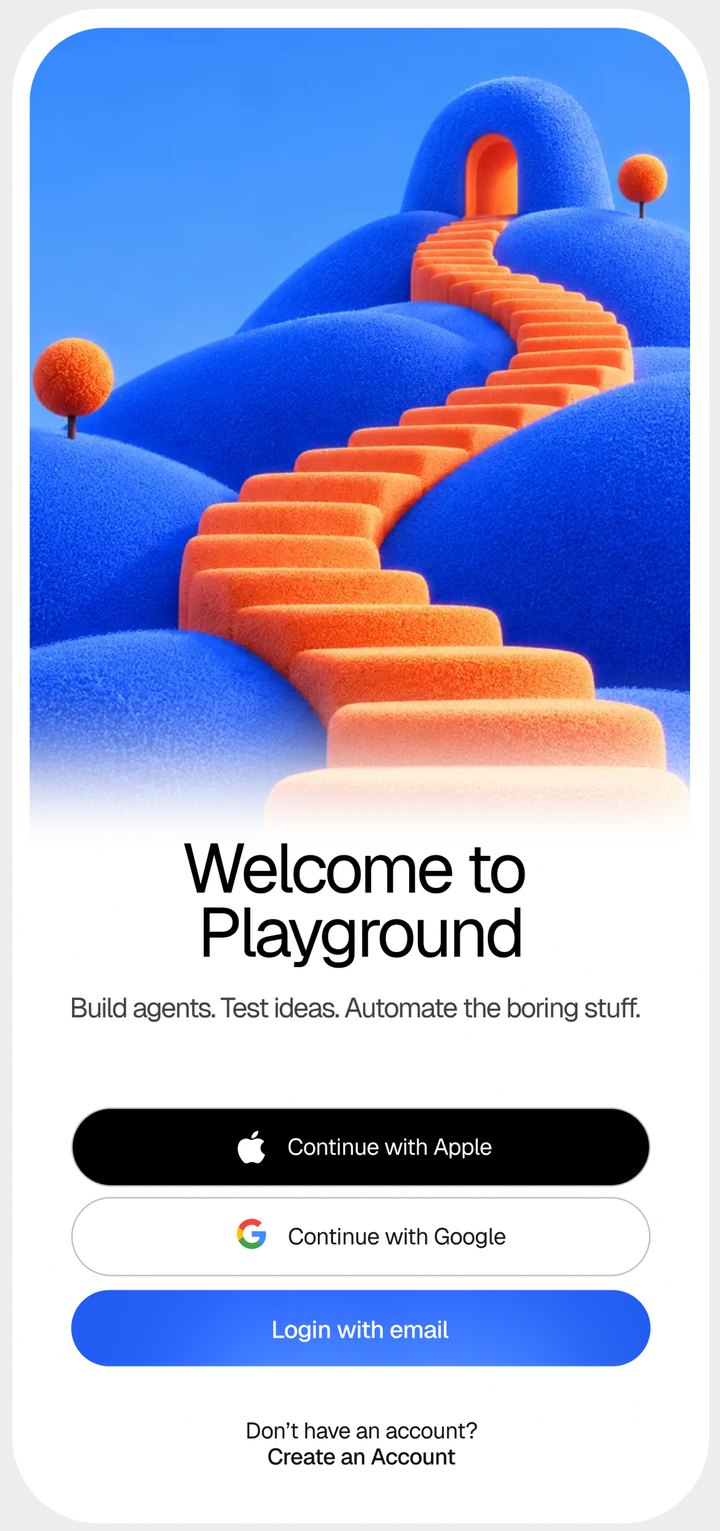
A playful 3D staircase leading to a doorway sets the tone: this is a place to explore. One line, “Build agents. Test ideas. Automate the boring stuff.”, explains the product before anyone signs in.
Usage and cost at a glance
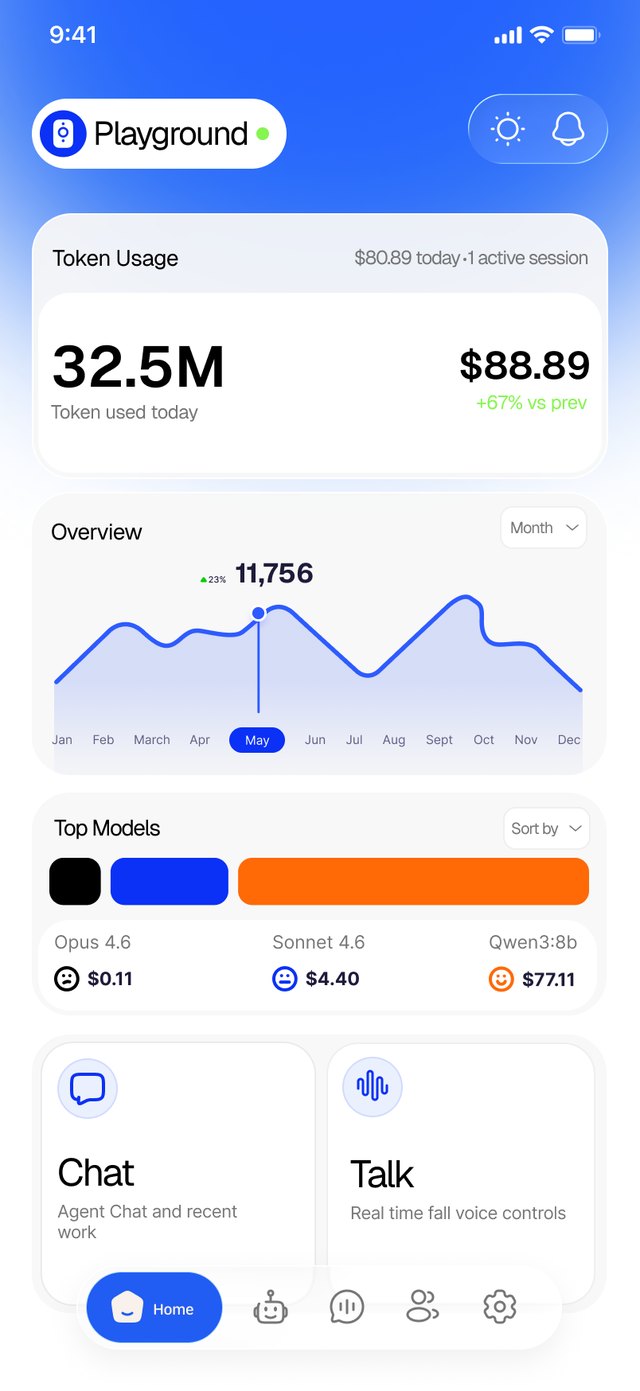
The dashboard leads with what people worry about most: how many tokens their agents used today, what it cost, and how that compares with the previous period.
Every agent in one list
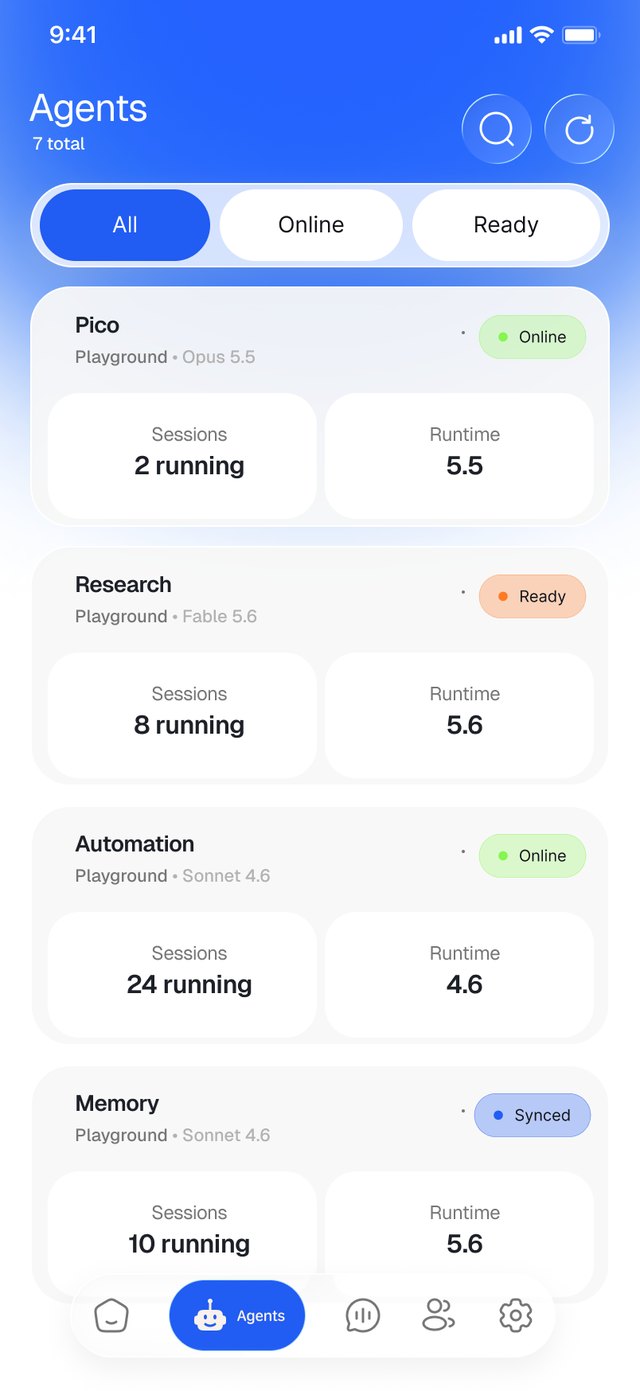
Each agent gets a card that answers three questions at once: which model it runs on, whether it’s available, and how busy it is.
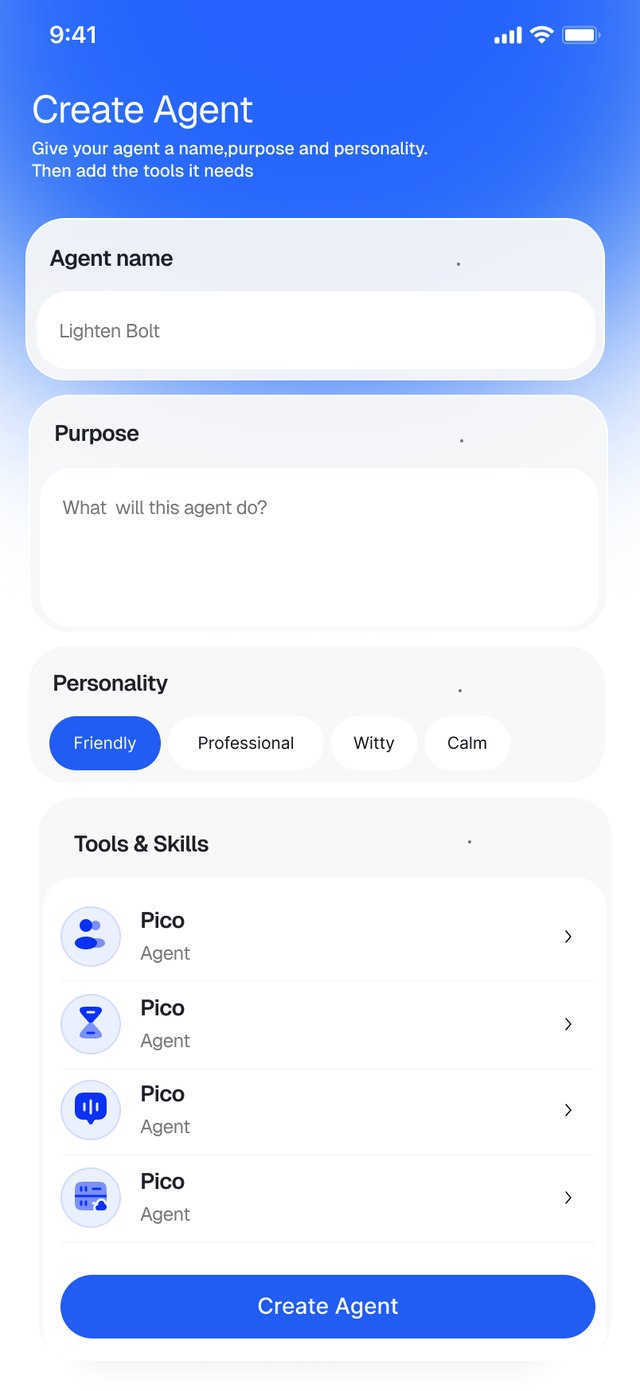
An agent in four decisions
Creating an agent reads like a short form, not a config file: give it a name, describe its purpose in plain words, pick a personality, then attach the tools it needs.
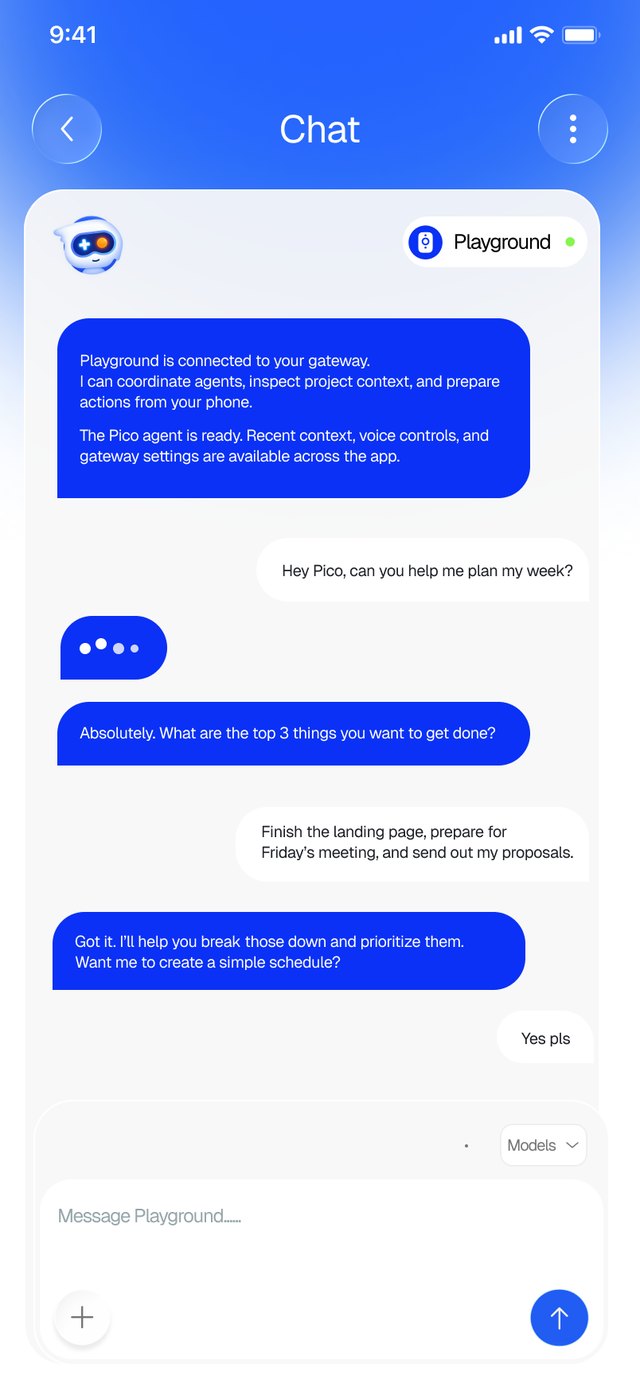
Work with an agent in plain language
The agent opens by confirming what it’s connected to, then helps plan, prioritise and act, turning a loose request into a concrete schedule.
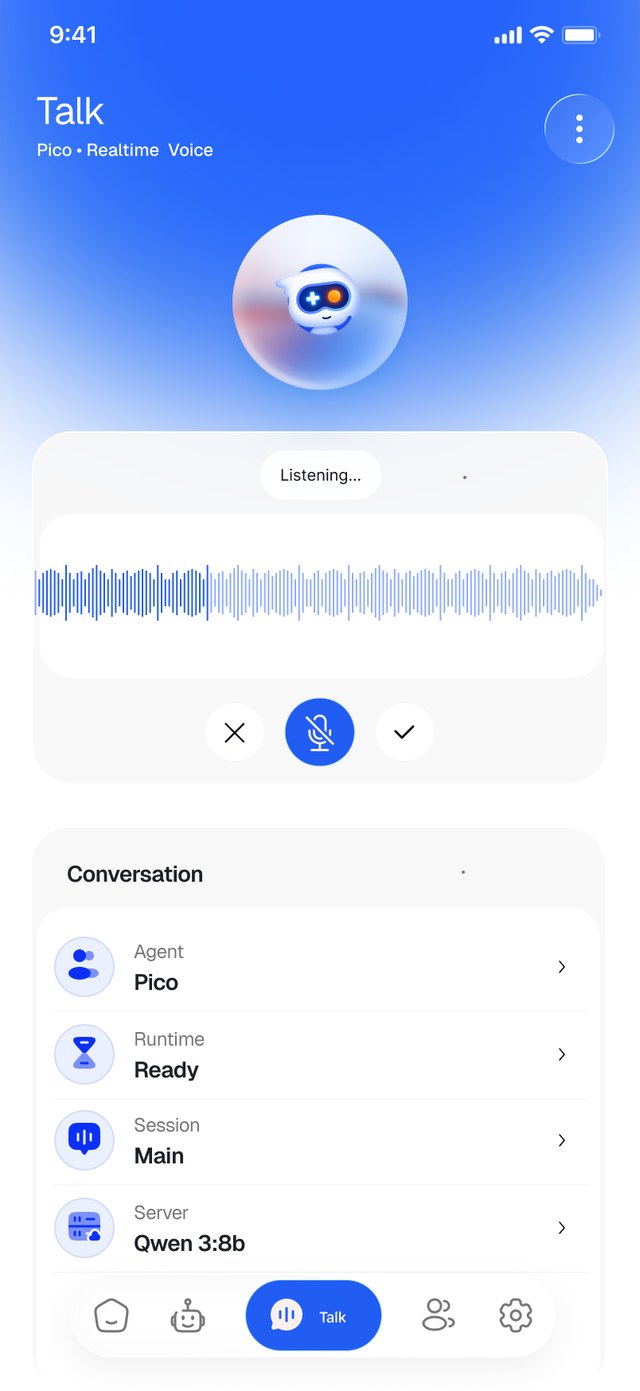
Real-time voice, hands free
A glowing avatar and a live waveform make it obvious when Playground is listening, so talking to an agent feels as natural as a call.
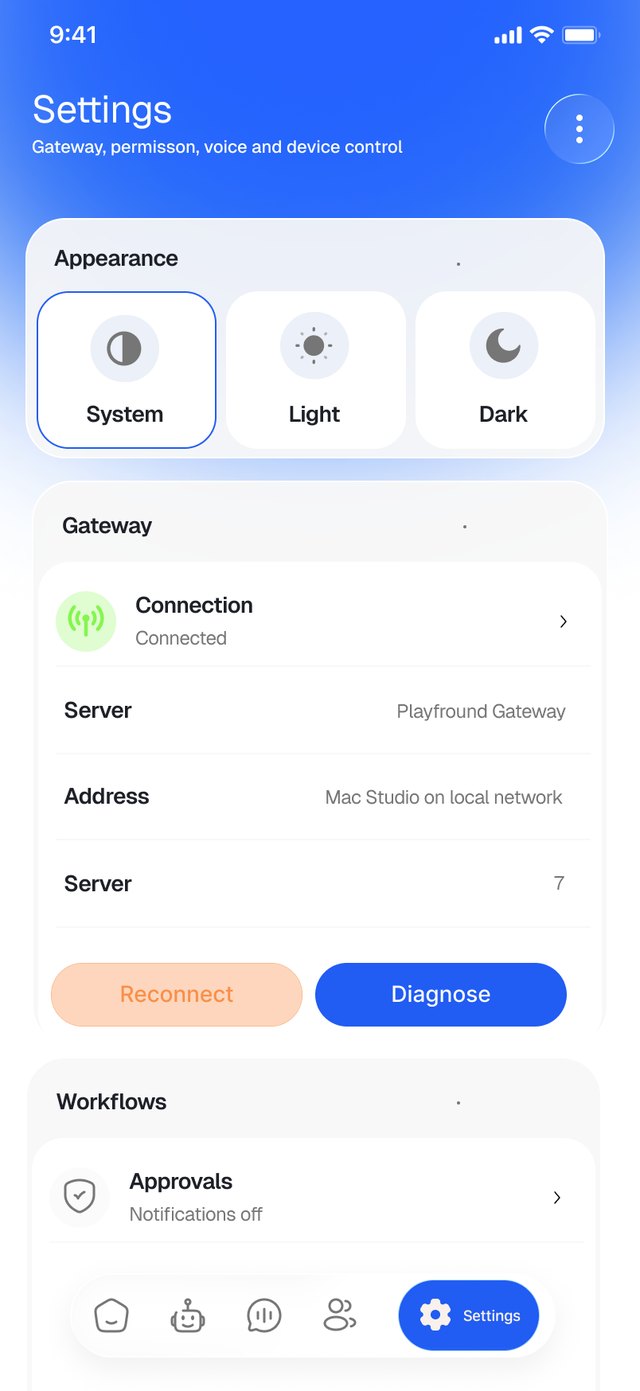
Control without the clutter
The technical side, the gateway that connects Playground to your machine, sits in plain sight with its status and two clear recovery actions.
Outcome & Learnings
The design process helped shape Playground into a more approachable AI agent experience, making it easier for users to understand what agents do, how to create them, and how they can fit into everyday workflows.
I developed the onboarding flow, welcome screen, and agent interaction experience around a simple idea: users shouldn’t need to understand the technical side of AI to get value from it. Introducing a friendly agent like Pico also helped make the experience feel more conversational and less intimidating.
The resulting designs established a clearer starting point for users to explore Playground, define tasks, and interact with AI agents. One of the biggest lessons was that the value of an AI product isn’t just in what its technology can do, but in how easily people understand what they can do with it.
This reinforced the importance of designing for clarity, building trust through transparent interactions, and helping users move from curiosity to meaningful action.